
API Metal Fabrication Calc1.0.4 - Google Play
You'll be able to see results in few seconds.
Publisher Description

API Metal Fabrication Calculator is an app designed to be a one stop resource for all your metal fabrication projects and is packed with tools to assist you with your CNC machine operation.
This app has resources that would help everyone from the engineers and the operators on the floor, to the office workers and purchasing department.
This app features a calculator, a currency converter, a unit conversion calculator, a tonnage calculator and a press brake chart.
And if the calculators and conversion tools can't can't answer all your metal fabrication questions you can always ask Altnative Parts Inc. experts a question using the app. This App also offers a way of keeping up to date with all the current promotions AltParts is running.
Features
• Calculator: A standard calculator featuring more advanced functionality such as tangents and logarithms.
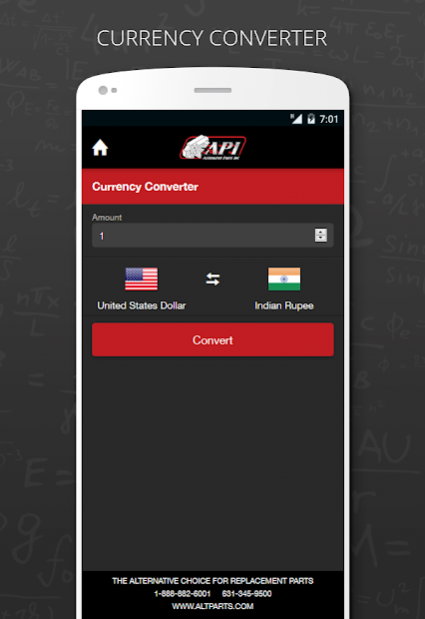
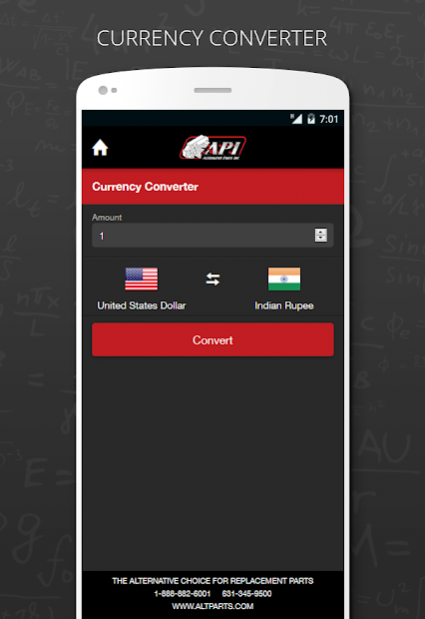
• Currency Convertor: Convert any 2 currencies quickly and easily. Great for overseas purchases for all your metal fabrication projects.
• Tonnage Calculator: Calculate the amount of tonnage needed to punch a hole in different types of metal based on material type, and thickness.
• Bending Chart: For use with Press Brakes, easily find the pressure needed to bend the material, opening of the Die to be used, and minimum bendable Flange length.
• Unit conversion Calculator: Easily convert units of distance, Mass, Pressure, and Volume.
• Ask A Machine Parts Question: If you have a question about a CNC machine part or are looking for a replacement part for your metal fabrication machine, you can easily send a question to API from within the app.
• Current Promotions: Keep up to date with all our current promotional offers and new CNC machine parts available from Alternative Parts Inc (www.altparts.com).
About API Metal Fabrication Calc
The company that develops API Metal Fabrication Calc is BiztechConsultancy. The latest version released by its developer is 1.0.4.
To install API Metal Fabrication Calc on your Android device, just click the green Continue To App button above to start the installation process. The app is listed on our website since 2017-01-31 and was downloaded 0 times. We have already checked if the download link is safe, however for your own protection we recommend that you scan the downloaded app with your antivirus. Your antivirus may detect the API Metal Fabrication Calc as malware as malware if the download link to com.biztech.altparts is broken.
How to install API Metal Fabrication Calc on your Android device:
- Click on the Continue To App button on our website. This will redirect you to Google Play.
- Once the API Metal Fabrication Calc is shown in the Google Play listing of your Android device, you can start its download and installation. Tap on the Install button located below the search bar and to the right of the app icon.
- A pop-up window with the permissions required by API Metal Fabrication Calc will be shown. Click on Accept to continue the process.
- API Metal Fabrication Calc will be downloaded onto your device, displaying a progress. Once the download completes, the installation will start and you'll get a notification after the installation is finished.
Program Details
System requirements
Download information
Pricing
Version History
version 1.0.4
posted on 2017-01-31
- Covertion Bending chart to slider for clear visualization
version 1.0.2
posted on 2016-12-20
-Minor Updates and enhancement.
Disclaimer
Official Google Play Link
We do not host API Metal Fabrication Calc on our servers. We did not scan it for viruses, adware, spyware or other type of malware. This app is hosted by Google and passed their terms and conditions to be listed there. We recommend caution when installing it.
The Google Play link for API Metal Fabrication Calc is provided to you by apps112.com without any warranties, representations or guarantees of any kind, so access it at your own risk.
If you have questions regarding this particular app contact the publisher directly. For questions about the functionalities of apps112.com contact us.
